Pomist — Pomodoro Timer for Todoist app icon

Pomodoro Timer for Todoist

The best Pomodoro app for Todoist users on Mac

Pomist pulls your Todoist projects directly into a beautiful, distraction-free timer so you can stay in the flow.

Download on the Mac App Store
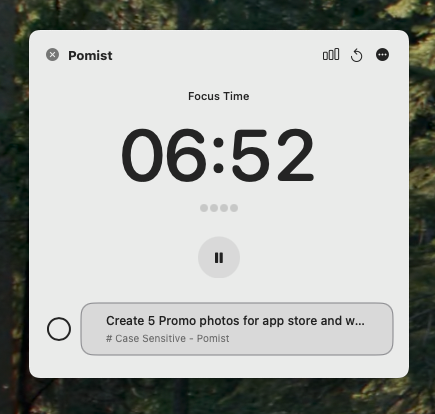
Pomist floating Pomodoro timer on macOS desktop

Eliminate Visual Clutter

An always-on-top timer that respects your screen real estate. It floats over your work so you stay focused without getting distracted by the tool itself.

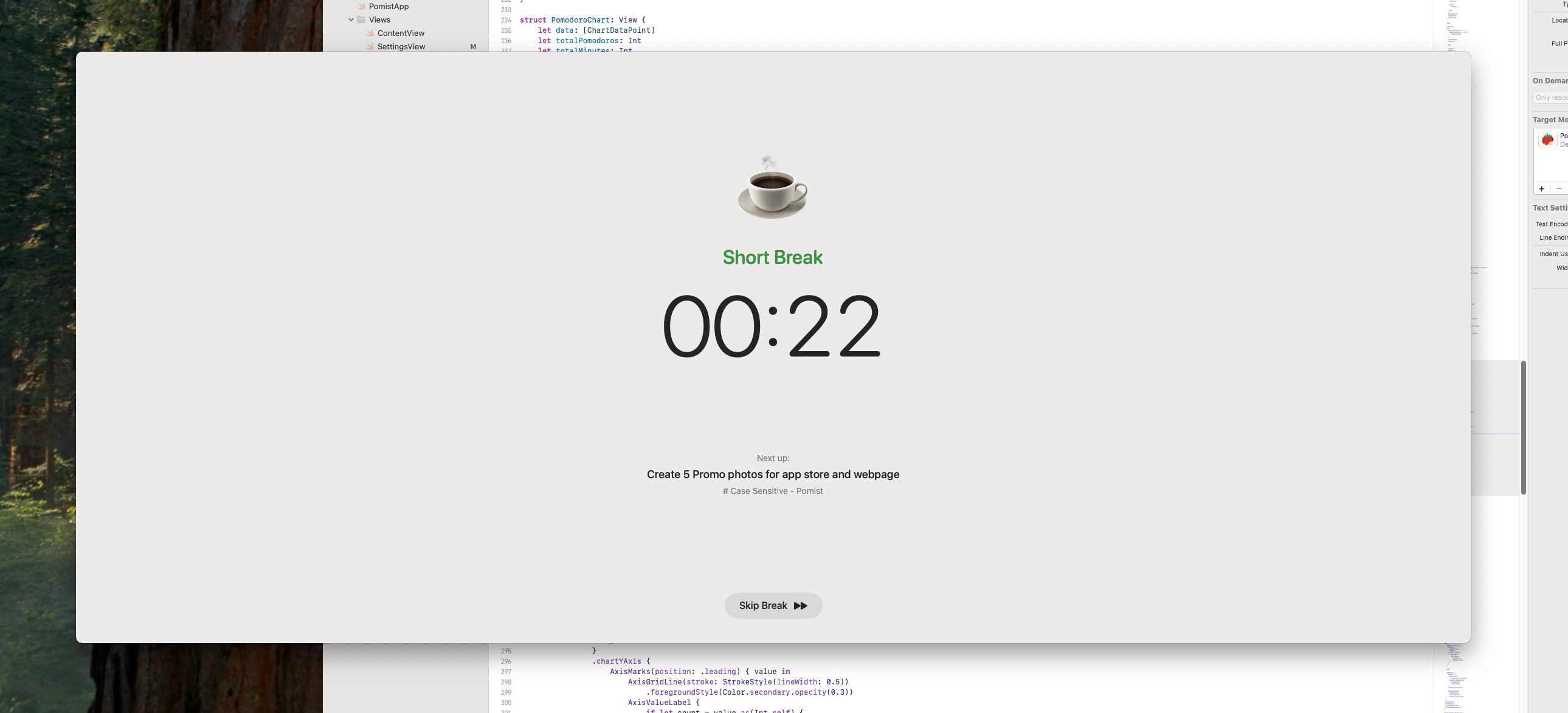
Pomist full-screen break reminder preventing burnout

Prevent Burnout Before It Happens

It’s easy to skip breaks until it’s too late. Our full-screen reminders gently force you to step away, ensuring you return to your desk with recharged mental energy.

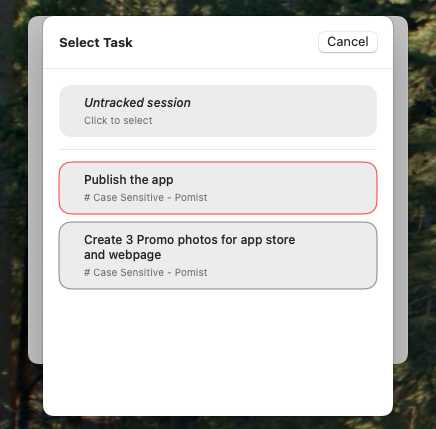
Selecting Todoist tasks in Pomist menu bar timer

Your To-Do List, Finally Actionable

Don't just list tasks—crush them. Connect your Todoist account in seconds and turn your static list into a dynamic workflow without ever leaving the menu bar.

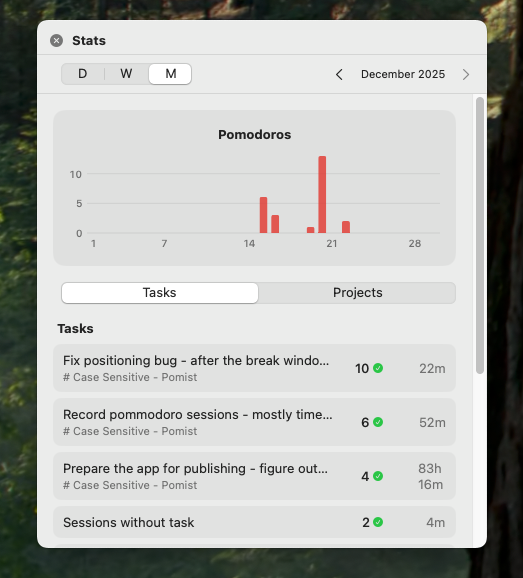
Pomist productivity statistics and focus session history

See Your Progress, visually

End every day with a sense of accomplishment. Visualize your focus streaks and completed sessions so you never have to ask yourself, "What did I actually get done today?"

About Pomist

Pomist is a native Mac app that brings the proven Pomodoro technique directly to your Todoist workflow. If you are a Todoist user who wants to track time, stay focused, and get more done without constantly switching between apps, Pomist is built for you.

By integrating seamlessly with your Todoist account, Pomist pulls your active tasks and projects into a lightweight, distraction-free menu bar timer. You simply click a task, start a 25-minute Pomodoro session, and let the app handle the rest. When the timer finishes, your task progress is automatically synced back.

Beyond just tracking time, Pomist helps you prevent burnout. Full-screen break reminders ensure you step away from your Mac to recharge your mental energy. With comprehensive productivity statistics and focus session history, you can confidently review your daily accomplishments and optimize your workflow. It's the ultimate Pomodoro timer for Todoist designed exclusively for macOS.

Frequently Asked Questions

What is Pomist?

Pomist is a native macOS Pomodoro timer designed for Todoist users. It syncs your projects and tasks directly into a distraction-free floating timer on your menu bar.

How does Pomist work with Todoist?

Connect your Todoist account in one click. Pomist pulls your projects and tasks so you can pick what to focus on without switching apps. Completed sessions sync back to Todoist.

Is Pomist free?

Pomist is a one-time purchase on the Mac App Store. There are no subscriptions and no hidden fees.

What Mac OS versions are supported?

Pomist requires macOS 14 (Sonoma) or later.

How is Pomist different from other Pomodoro timers?

Unlike generic timers, Pomist is deeply integrated with Todoist. It lives in your macOS menu bar, pulls your live tasks, and syncs completions back automatically, preventing visual clutter and context switching.

Ready to Clear the Mist?

Download Pomist today and start your journey to a clearer mind.

Download on the Mac App Store